Showing posts with label FACS. Show all posts

Wednesday, March 2, 2016

How do you give your class a voice? Digital ways to give each student a vote.

Can we all agree students put forth more effort when they get to feel like they in some way have chosen their assignment? 

One day I can walk into class and everyone wants to share what they think, other days are pure silence. Of course this often depends on the class as well as who is in attendance but we have all have had those days on both ends of the spectrum. Can hear crickets versus total uproar. 


*Sometimes just giving a class a way to share their voice in a positive manner is not a bad idea.

While we know we can not necessarily just let our students make up their own assignments we also know that giving them some basic guidelines and letting them go sometimes can have the best results.

Today, I was working on coming up with a way for my Child Development 2 students to learn not just about Multiple Intelligences but what they actually mean AND what it means for a teacher to plan for a lesson where they know they have different types of learners in the classroom. 

What I came up with was a lesson where students work in groups to create a lesson to teach a child with a specific (assigned) type of intelligence. Now where do I give the students their choice in this? They could choose their group members, they could choose the type of intelligence, or they could choose what lesson they would teach using the type of intelligence. There are pretty obvious negatives as well as positive to each choice. What  I plan to do is let them choose their group. I will assign each group a type of intelligence to research and then to plan for. Then I will allow the class to vote on what they want to focus on teaching. In this way each group will plan for a different intelligence but will be teaching the same basic information. 


Now, how do I get the majority to vote? Not only vote, but vote with what they are actually interested in and not just what their friend is voting for? 

For me, I chose polleverywhere.com. Its easy, free and gives some options. It looks a lot like the picture below when given to students. They can answer from text or on the web link from their computer. 
Before feedback - This is what I show on my smartboard. 

After having used this several times in several different classes I do feel that polleverywhere.com is a good choice to take a poll but there are tons of other choices.
What the poll looks like with responses. The class loves to watch for results! 
As you can see this class voted to teach about the seasons. (The other class chose Animals, but then narrowed that down to Farm Animals - if you were wondering.)
It seems like such a small thing to give a class a choice about, but something about them having some say about their assignment made the overall feel of the classroom burst with excitement. Excitement from high schoolers is something amazing considering it only took about 3 minutes of class time to make the majority of the class feel like they suddenly had some kind of control over what they wanted to do with their assignment. 

If you have not used any type of polling technology to get feedback from students I strongly encourage you to find some websites you like to use and that you feel meet your needs. If you have any questions or would like to discuss some ideas please let me know! 

Other Options? 

Below are 2 links that will tell you about various other types of poll/survey type websites. They are from a blog called Educatorstechnology which has a ton of great resources for any teacher. 

13 Free and Easy Survey Tools

Great Tools for Teachers

Also, if you are wanting to ask more than one question you may want to do something more like survey monkey or google forms. These are great for more quiz like questions or just when you have more than one or 2 basic questions to ask. 


Thursday, February 25, 2016

Wanting to be a "Homemaker" is Not Mandatory. 10 Reasons Why FCCLA and FACS are for Anyone!


Do you know what FCCLA is all about? As a Family and Consumer Sciences Teacher and FCCLA Adviser I do - but I often find my students and their parents are not quite sure.


A common misconception is that FCCLA and/or Family and Consumer Sciences are interchangeable terms with Home Economics. This is far from true about today's FCCLA (Family, Career, and Community Leaders of America) and FACS (Family and Consumer Sciences). When people say "Home Economics" it does not make me angry or irritated (it does make some FACS teachers irritated, so tread lightly) it usually just causes me to smile and nod because most people generally relate Home Economics to a fun part of their life where they probably learned a lot. The downside is often times if asked to describe Home Economics people would describe something that looks much like the picture below.


The problem with this idea about FACS is that most people also relate Home Economics to something that is ideally strictly for women that want to be "homemakers" and for FACS and FCCLA that is simply just not the case.
I hope this blog can help you understand what FCCLA and FACS have to offer to students (Male and Female), families, communities,  future employers, etc...For myself, I hope this blog can clear up some questions for current and future students and their parents!


Here are 10 reasons why FCCLA and FACS are for ANYONE.

1. FACS is not just cooking and sewing. Sure many of us cook and sometimes we might sew but we do so much more! Classes often offered within FACS Departments could be any of the following; Child Development, World Foods, Culinary Arts, Hospitality and Restaurant Management, Housing and Interior Design, Intro To Teaching, Human Development, Parenting, Relationships, Resource Management, Personal Finance, Health, Career Exploration, Career and Family Leadership, Leadership, Nutrition and Wellness.


All FACS classes are designed in a way to hopefully help students put their knowledge from their core subjects into real life situations. FACS classes should promote students thought about the future, their goals, abilities, dreams, wishes, etc... I believe FACS classes are great to help students realize their potential, set goals for their future, and get training or experience in fields that they may want to pursue as a career one day.


2. FCCLA is a organization with lots of opportunities. Want something interesting to write on that on a college application? Being an active member of FCCLA and you can do just that! FCCLA offers chances to travel across the United States and even possibly to Japan through the Japanese Exchange National Program. You can be a leader with a Chapter, State, or National Officer position or you can be a Competitor in STAR Events. Through participation in community service and other state programs students also have many chances to work along side community, state, and national leaders to make changes and express their views.


Carissa with Representative Entlicher at FCCLA Legislative Shadowing Project. Feb 2016


Displaying carissa.jpg

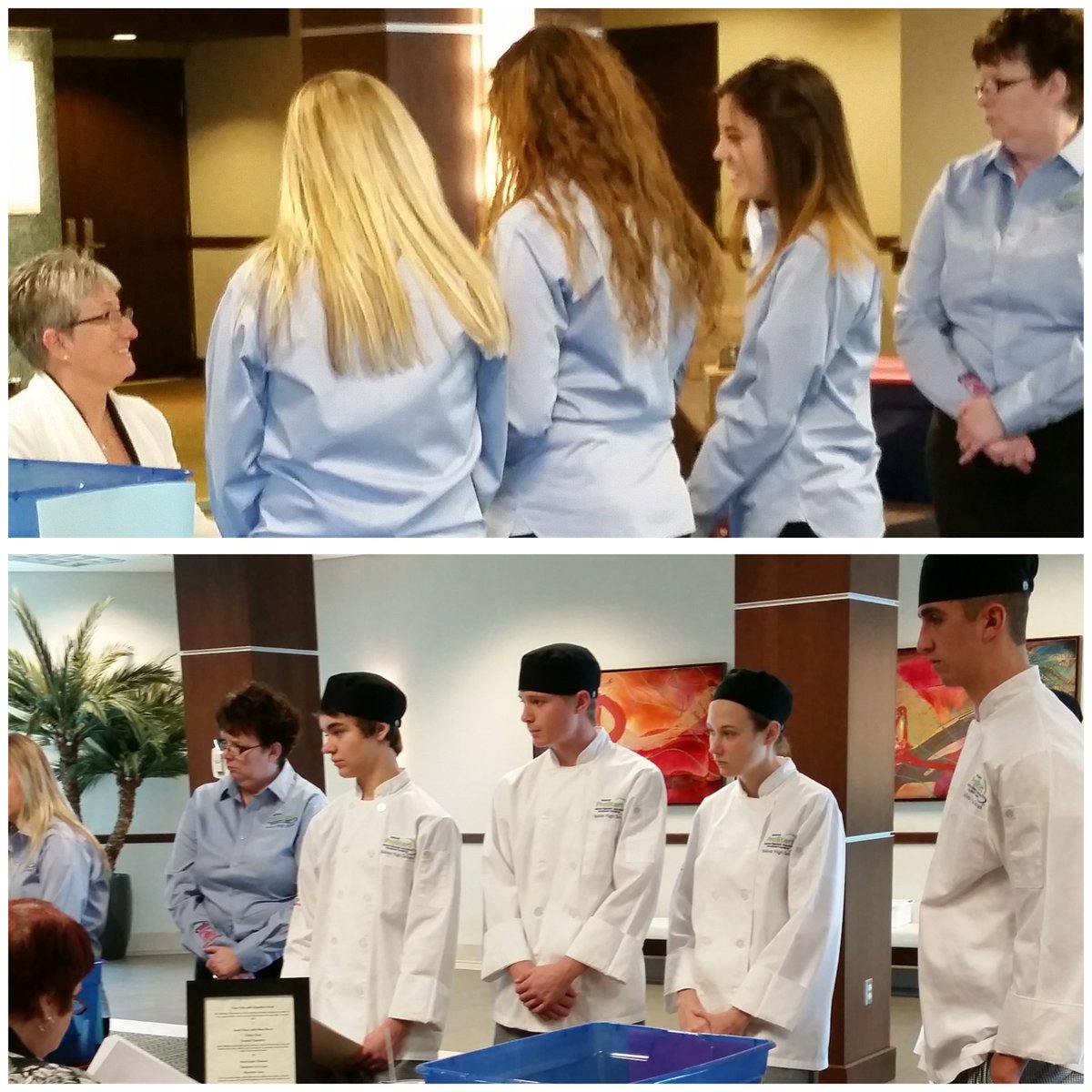
3. FCCLA and FACS can be competitive. Who doesn't like a little competition? Through Skill Demonstration Events offered at the National Cluster Meeting each year and STAR Events (Students Taking Action with Recognition) students have various chances to get active on a competitive level. Students get to take their school projects, community service activities, or sometimes their career skills and compete with other students from across their state and country! Some FACS Departments are even lucky enough to have culinary classes and ProStart to even further jump start students career learning.
Chapter Service Project Display Jr. Category - Gold 2016 Regional Competition
Betty Glasgow's - 3rd Place Prostart Restaurant Management Team - 2016
4. FACS lets you express yourself. Many FACS classes are about YOU! They are about making yourself a better YOU! Who can honestly say that they could not improve something about themselves? Not me! I KNOW that I am a daily work in progress. I love seeing my students work on their abilities, attitudes, dreams, and goals to better themselves so that someday they can become that better business owner, employee, or parent someone would value and be proud to know.


Community Service Project - Rare Breed Springfield MO Fall 2015
ProStart Teams at Competition - 2016
5. FCCLA Students Travel. I have yet to meet a student that HATES traveling. In the 3 short years that I have been teaching I have traveled with students to various places across the state of Missouri and the rest of the US. It is not so much just the traveling that is amazing it is how much students grow through these trips. The planning, fundraising, and collaboration that leads up to these travels are always a lesson for themselves. Lessons often for me, but for the students too. It take responsibility, planning, and willingness to work together to pull off these trips especially when multiple people and organizations are often are involved. Through trips both near and far I see students learn so much about themselves and who they wish to become. Students always come back from trips more confident and hopeful for their future.

Promoting FCCLA at our Nations Capitol - July 2015
FACS Students and FCCLA Members visit the White House while in Washingtion DC for NOYS Safe Driving Summit - October 2015
6. FACS Classes and FCCLA Members usually end up feeling like family. We sit together, eat together, discuss life together, travel together, WE DO A LOT TOGETHER! Most FACS classes and FCCLA chapters generally end up feeling like family. They are who you are close to. They know you. They know your struggles and they even know when we need to send out a search party to find you and lead you back to the bus at Silver Dollar City because your phone is dead and you can NOT find your way around.
Region 10 Meeting - Silver Dollar City - Branson MO Fall 2015
National Cluster Meeting - Dallas TX - November 2015
7. FCCLA Competitive Events are called STAR Events. STAR stands for Students Taking Action with Recognition. STAR Events are a way that students can get recognition for their hard work and actions that they take during the year to make a change in their self, family, school, or community. STAR Events are awesome because there are tons of choices. With just about anything that you believe to be important in life, you can focus in on the change you would like to see, set goals, and find a way to make it happen. After success or even failures students can create presentations to compete in STAR Events to share what they did and learned. Some students choose to complete STAR Events after school especially if their schedule does not allow for a FACS Class at some point but other students are able to start and carry out STAR Event projects in class. In this way students are taking control of their learning and learning by doing!
A complete list of STAR Events, descriptions, and rubrics can be found at FCCLA STAR Events.
National Leadership Conference and National STAR Event Competitors - San Antonio - July 2014
8. FCCLA and FACS can and does involve a bit of everyone. FCCLA and FACS are inclusive in the way that anyone from Middle School through High School can be involved if their school has the program available. The program FACS and the organization FCCLA are easy for anyone to find their place if they have interest in bettering themselves, their families, their school, or even their community. Students can find something they are interested in as long as they are willing put forth work to make it worthwhile. 

9. FACS Teaches Life-skills. From everything from being able to plan and prepare healthy meals to being able to communicate more clearly in difficult situations at work and home - FACS helps students work on those skills. I personally cringe every time I see the post being shared about the things people wish they would have learned in High School. Something like: 
Image result for things i wish i would have learned in high school meme

Why does this make me cringe? FACS can and does teach all of these. I would actually teach even more of them if at my school I needed to teach personal finance (but in my district this is taught by the business teachers). When people like and share this all I can think is "How in the world did all these people make it out of school without taking any CTE (Career Technical Education) Classes??" because nearly all of them touch on these subjects in some way!

10. FCCLA Members and FACS Students make great leaders! Through tons of project based learning and presentations of subjects that interest the students because they usually can directly relate the projects to their life, FACS students become great leaders. Not just great leaders but great thinkers, great people. FCCLA Members tend to be compassionate, loyal, loving, and willing to step out of their comfort zone to help people around them. I for one am proud to be a past FACS Student and FCCLA Member and a Current FACS Teacher and FCCLA Adviser!

Bolivar and Logan Rogersville FCCLA Students discussing the importance of FACS and FCCLA with past FACS teacher and current Missouri Representative Vicky Hartzler while in Washington D.C. 

Please share if you too are proud to have FACS and/or FCCLA be a part of your life!


*Written by Ashley DeVore, FACS Teacher & FCCLA Adviser at Bolivar High School in Bolivar Missouri.  B.S. in Family and Consumer Sciences Education from Missouri State University. 


Using Canva in FACS!

Canva use in Child Development 1

Last semester my new trial in class was using canva.com. (www.canva.com) I was introduced to canva at a general digital session this past summer during Missouri ACTE Conference in Springfield. In short, canva can be used to make several different things such as posters, ads, cards, etc... It is easy to use and has some cool graphic features. It kind of reminds me of an online version of publisher that is actually, in my opinion easier to use.

My school district recently went 1:1 with Chromebooks so I have been looking for new tools to enhance classes. Canva caught my eye and I think it might catch yours too!

How I Used Canva
First I introduced Canva to the class on the projector. I showed them how to log in using the google sign in feature that pretty much automatically sets up your account. The first page that opens is a demo page - students can play around with this but it is really just as easy to jump right in.
You can start your own poster by clicking where it says Canva in the top left corner of the screen! From there I let the students choose their own background. Students could easily do this on their own, I allowed them to work in pairs hoping by having two minds they would be able to better troubleshoot while learning the new program.

Canva allows you to search things like grids, borders, and images. It also has pre-made layouts you can use as well as graphics and fonts. It is really pretty user friendly and has lots of choices for students to make it their own.

I used Canva as kind of a reading thought organizer/summary of text - if you will. I gave them a short section that had 4 different parts. For each of the 4 parts they were to read and then write a heading with 2 statements that summarize what that particular section was about. They were to use 2-3 pages on Canva to share what they read and thought was important.

Once the students were finished they were to make their poster public by clicking "make public" and then done in the top right. Then they were to share the poster with me and classmates by going to the share option, copying the link, and then posting the link in the comments section under the assignment that was posted on Google Classroom. This seemed to be easy! However, I did have to do some "how to" copy and paste using your Chromebook tutorials!


Negatives I Experienced

- After posting the link not all posters would show up - I narrowed this down to be a network issue as some would and some wouldn't. **This wasn't too bad, by the end of the day I figured out the students that should not show their poster from the posted link could download the pdf of their poster to their chromebook and then link the pdf in Google Classroom. After this it opened up! Kind of an extra step but not a difficult one. I did have to reassure the students that even though it didn't show up from the link it was still in their canva account.

- Some students found some of the formatting to be a little irritating

- Took a little more time than maybe a hand drawn poster  
**But I think they did get to use some other skills -editing, use of colors and graphics, getting to use their chromebook (copy and paste was new for some with the 2 finger click) and mix things up a bit. I also feel like they took this more seriously than when if I were to ask them to write out the summary's.

-If you want to print - there is only a small selection of free backgrounds, fonts, etc... to use but if you want to just share digitally the options are pretty endless!

Positives
-Seemed to work well with the chrome browser. I only had 1 student out of nearly 90 that it seemed to open slowly for.

-Lots of options to make them original

-Could use for various things in class

-Almost all students I questioned had something positive to say about the experience.

-Sharing in various ways - by link, facebook, twitter, are all easy with this website!
Let me know what you think or how you are using Canva in your classroom!!!

Wednesday, February 25, 2015

Padlet Intro to Child Development 2 Class

Padlet

I was just introduced to Padlet and wasn't sure how I wanted to use it but knew I would like to try it out.
Padlet basically lets students send responses from their device (cell phone, tablet, computer, etc) straight to the screen where everyone can post ideas and thoughts about something.
It was super easy to set up and has some basic choices but also allows for pictures and things to be uploaded.
What they post can go straight to the screen or it can be first viewed by the teacher before being approved to go to the screen. 

How I Used Padlet - 

I split students into groups to read sections about Emotional/Social Development just as an intro to some discussion information about where children are in their emotional social development between the ages of 4 and 6. I asked them to bullet point some information about things that characterize emotional/social development of children between 4 and 6 after reading with their group. 

Here is a link to what they came up with. I did not filter it and got something about poop - I was able to delete that after a threatening glare in the direction I was sure it came from. 


Students seemed to like it for the most part and some commented that they thought it was pretty cool. In a class of 25 none of them said that they had used padlet before. SCORE ME! 
Obviously, this was not anything huge and only took maybe 10 minutes but I am excited to use it as something more soon. 
Students can post links, pictures, video, etc... with their comments - today we just did a very basic "see how it works out" activity. I think it could have a lot of uses! You can set it up like a stream, or random, or in a grid where it would almost look like Pinterest. 
Below are some random pictures of students learning to use padlet. Most used cell phones, I did have maybe one IPad and 1 Kindle or tablet user. 

Please let me know how you have used this or any ideas you have. Thanks for checking in on my blog! 


Why a Blog about Technology Used in Family and Consumer Sciences Classrooms?

Why am I taking my very little spare time to start blogging about technology and new practices within the Family and Consumer Sciences Classroom? 

First of all, I recently attended a technology forum hosted by Eric Sheninger and he suggested that blogging was a very good idea in one way or another. During the one day I spent listening to him and what he has seen and accomplished throughout his career I realized there is so much out there, especially in the world of technology that is constantly changing, improving, and emerging. There is literally NO way to keep up with it all or let alone try it all. However, if you are like me you spend a good day or two per week brainstorming and searching for something new that might just excite your students to actually take what you are saying and put it into some sort of action.

So, this brings me to today and setting up this blog - well I just attended the forum yesterday (but I wanted to go ahead and get started.)
I was on Twitter, something that I am kind of new to using and I was searching for Family and Consumer Sciences sources to follow - Well guess what! There are not very many. This made me extremely sad. As FACS teachers we always are facing the dreadful "oh, you mean Home Ec, you like cook and sew and stuff" and sure we MAY do that occasionally but it is no longer our focus. Our focus is on CAREERS (of many sorts) and FAMILY. (I mean who doesn't want to grow up and have a healthy, well functioning family?) So, I decided I would start trying to share what I do in my classroom more regularly in hopes that other FACS teachers around the state of Missouri and possibly the country will start to share what they are doing too! I always love new ideas and I know all of you do also.

What is my goal for this blog? I would like to see FACS teachers sharing comments, ideas, and things they have tried or want to try so that FACS teachers can really start to show what we do. I sure do get tired of people often assuming we just bake cookies and sew all day so I would like to have something that might serve as an example that we are SO MUCH MORE!

Hopefully, I will be adding at least 1 new thing I am checking out or trying each week in my classroom. Sometimes it will just be using something old in a new way, other times it will be something completely new that I am trying out for the first time. I'm sure sometimes it will fail and sometimes it will fly but I would like somewhere to share that experience. That way I can hear from others about how it works them. I would also love if it inspires other FACS teachers to also try something new! So please share and comment away.